The scenic detour
Use the hillside target for an exaggerated escape from a small task. Try “Me taking the long way back to my inbox.” Keep the skyline visible and put the text above the image.
Use the hillside sceneChoose the scene, add your selfie, and become the person in the joke. Create a still-photo face swap with SwapThisFace, then add your caption in an image editor.
Start with the hillside photo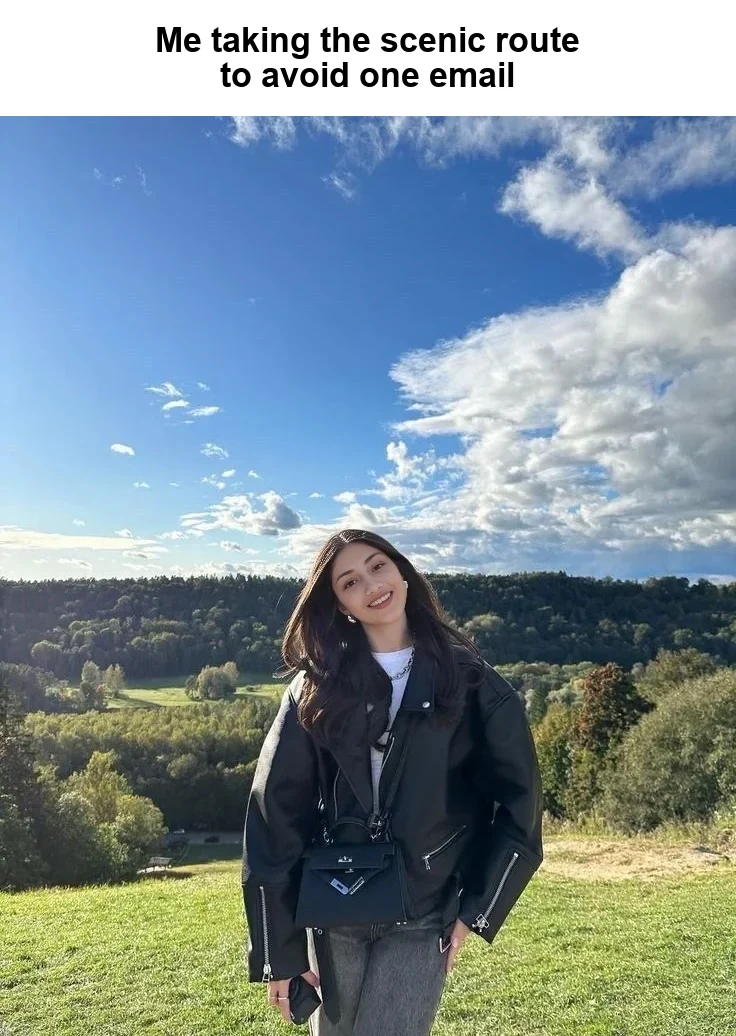
A huge sky, a relaxed pose, and a caption about avoiding one email. The setting makes an ordinary frustration feel exaggerated. Putting your face into the photo makes it yours.
This example began with the uncaptioned hillside target and the source portrait shown in our gallery. After the swap, we added a white strip above the photo for the text. The words stay clear of the face and the landscape.
Use the hillside target for an exaggerated escape from a small task. Try “Me taking the long way back to my inbox.” Keep the skyline visible and put the text above the image.
Use the hillside sceneThe café portrait suits a coffee break that turns into a whole afternoon. Try “Me after scheduling a meeting with my coffee.” Keep the caption short enough that the facial expression still matters.
Use the café sceneThe coastal photo makes a useful backdrop for “My mind during the last meeting on Friday.” Check the face and neck against your selfie before you add the joke.
Use the coastal scenePick a clear selfie and a target picture with one visible face. If the template already has text, make sure the letters leave the eyes and mouth visible. You can start from one of the photos above or upload a picture you have permission to edit.
Upload your portrait under “Your face.” The meme photo belongs under “Your new look.” Review the processing notice, create the swap, and compare it with the target. A recognizable face and the right expression do more for the joke than extra decoration.
Download the photo and use a text tool to add the words. Give the setup and punchline separate lines if that helps. In our example, the face swap comes from the editor and the caption is a separate finishing step.
Look at the whole meme without zooming. Can you read the caption and recognize the face? If either disappears, shorten the joke, enlarge the caption area or choose a closer portrait.
Before you add text, compare the eyes and mouth with the original target. A surprised scene depends on the eyes. A grin depends on the mouth and teeth. If the output changes the mood, try a source selfie with a closer expression while keeping the same target.
For a tilted face like the hillside portrait, look at the eye line and jaw. For a side-facing photo, check the visible cheek and the transition into nearby hair or fabric. The realism guide explains how to inspect these details.
Use a clear still image in JPG, PNG or WebP, up to 10 MB per input. Repeated screenshots or heavily compressed messages can make the source face harder to recognize. Work from the clearest original you can obtain.
Use your portrait as the source and the meme photo as the target. Generate the swap, compare the result, then save it. Add a caption after downloading if you started with an uncaptioned picture.
You write and add the caption with a text-capable image editor after downloading the face swap. The example on this page shows that complete workflow, with the caption placed above the result.
Yes. Open the photo editor in your mobile browser, choose your two files, and download the result. You can then add text using a photo editing tool on the same device.
Use their portrait with their permission and let them review the final caption. Present the image as an edited joke when the scene could otherwise be mistaken for a real event.
This editor uses one face per input. Choose a template with one visible face, or prepare a crop around the person you want if the joke still works within that crop.
The current guest offer includes one successful photo swap. Additional attempts require credits. See the available options before creating several versions.
Start with the hillside photo or browse the full collection for a pose that fits your selfie.
Browse face swap templates